Music Tiles Ball - Piano Game1.2
Publisher Description
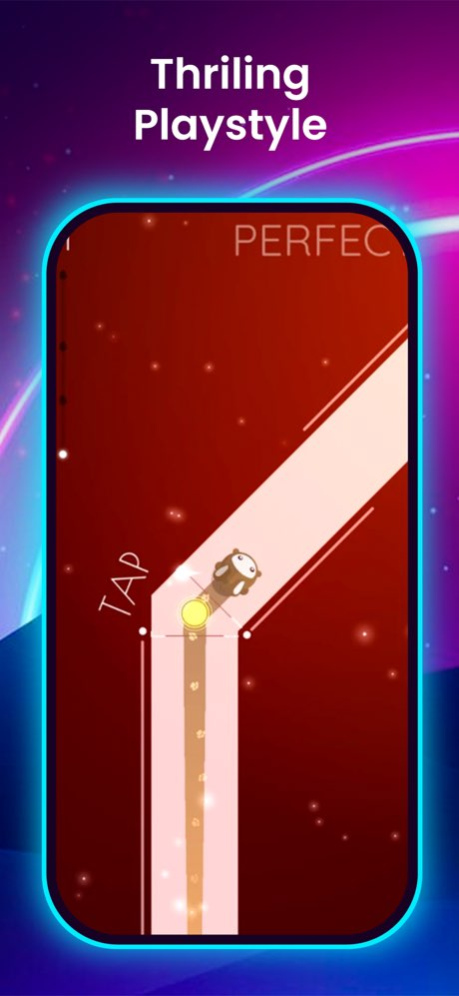


Welcome to Magic Tiles - piano game, the music game isn’t just about the music - it’s also about the challenge. As you play this music piano game, you’ll need to tap and jump with the music, all while avoiding the white tiles. It’s a test of skill and reflexes that will keep you coming back for more. If you’re looking for a fun and challenging way to test your coordination skills while indulging in your love for music, then Magic Tiles its is the perfect music piano game for you!
Magic Tiles Features :
- Design in 3D visual
- Huge high-quality trending music songs
- Great for relaxation
- Collect Star to unlock new content
Stay on the dance line with your Beat Magic Tiles - Piano Game in the best music tapping game - Piano game : Magic Dance Line Tiles Game.
Many music game available in app store like tiles hop , magic tiles, piano etc.
Be careful to tap to the music in our music line game. Time your actions, tap carefully and become the dancing master! The only rule? Don’t fall off the track!
Version History New levels add. 1.2 11/27/2024 bug fix. 1.1 06/18/2024 1.0 04/11/2024
About Music Tiles Ball - Piano Game
The company that develops Music Tiles Ball - Piano Game is Vivek Radadiya. The latest version released by its developer is 1.2.
To install Music Tiles Ball - Piano Game on your iOS device, just click the green Continue To App button above to start the installation process. The app is listed on our website since 2026-10-14 and was downloaded 0 times. We have already checked if the download link is safe, however for your own protection we recommend that you scan the downloaded app with your antivirus. Your antivirus may detect the Music Tiles Ball - Piano Game as malware if the download link is broken.
How to install Music Tiles Ball - Piano Game on your iOS device:
- Click on the Continue To App button on our website. This will redirect you to the App Store.
- Once the Music Tiles Ball - Piano Game is shown in the iTunes listing of your iOS device, you can start its download and installation. Tap on the GET button to the right of the app to start downloading it.
- If you are not logged-in the iOS appstore app, you'll be prompted for your your Apple ID and/or password.
- After Music Tiles Ball - Piano Game is downloaded, you'll see an INSTALL button to the right. Tap on it to start the actual installation of the iOS app.
- Once installation is finished you can tap on the OPEN button to start it. Its icon will also be added to your device home screen.
Program Details
System requirements
Download information
Pricing
Version History
version 1.2
posted on 2026-10-14
Version History New levels add. 1.2 11/27/2024 bug fix. 1.1 06/18/2024 1.0 04/11/2024
version 1.2
posted on 2024-11-27
New levels add.
